
Subscribe
Demo

  • Tesla’s 2026 Summer Update (2026.26.6.5) lets Grok control climate, mirrors, wipers, seat heaters, navigation, and Sentry/Dashcam by voice.
  • A Drive Tesla Canada community test found Grok handled 116 of 170 spoken commands hands-free, a 68 percent hit rate.
  • The expanded Grok voice features require the AMD Ryzen infotainment processor; Teslas with Intel Atom hardware do not receive them.

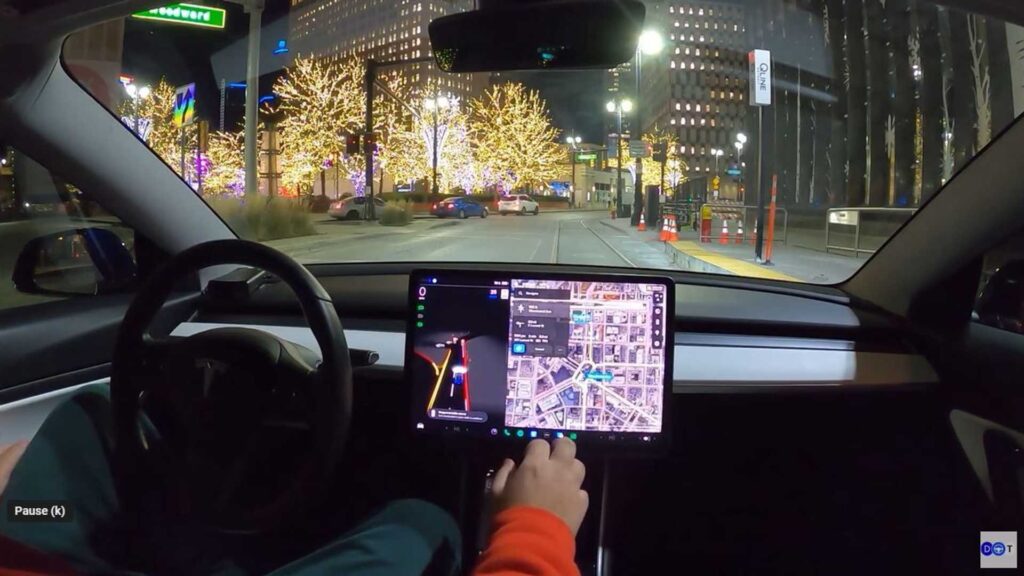
Tesla just gave Grok the keys. With the 2026 Summer Update rolling out on firmware 2026.26.6.5, the assistant that used to crack jokes and answer trivia now folds your mirrors, sets the wipers, and adjusts the climate on command.

Say “Hey Grok” and the chatbot stops chatting and starts driving the cabin. It is a shift from voice commands as a novelty to an actual input method, and it changes how owners touch their cars every day.

Tesla Grok Voice Assistant After The 2026 Summer Update

The numbers tell the story better than Tesla’s own release notes do. A community-run test logged 170 separate spoken commands, and Grok handled 116 of them without a single tap on the screen, a hit rate just over 68 percent, according to Drive Tesla Canada.

Climate gets full control, cabin temperature, fan speed, defrosters, seat heaters, and so does the body: folding mirrors, popping the glovebox, cycling wiper speed. Navigation responds to simple requests for the nearest Supercharger, a restaurant, or home, and Grok will save a Dashcam clip or arm Sentry Mode on request too.


The real trick lands with firmware. Grok now parses a chained sentence and fires off several actions from one breath. Ask it to fold the mirrors, crank the wipers, and drop the temperature five degrees, and it does all three without you repeating “Hey Grok” between each one.

Tesla’s own 2026.27.200 release notes keep the list simpler: Grok makes phone calls, plays music, adjusts climate, and searches the Controls panel, and it can answer questions about the car or the update itself. Drivers customize its voice and personality, and can toggle “Hey Grok” and location-based reminders separately in Grok Settings.

Not everything is voice-native yet. The remaining third of tested commands, such as deeper settings menus and some FSD-specific toggles, still needs a screen tap or the wheel button. Tesla has flagged pothole avoidance as a coming FSD feature too, a request drivers already try to make FSD perform, though Musk floated the idea back in April 2019 and it still has not shipped.

Here is the catch that separates owners into two camps. This only runs on Teslas with the AMD Ryzen infotainment processor. Cars still running the older Intel Atom setup do not get the expanded command set regardless of software version.

Activation works three ways: say “Hey Grok,” long-press the steering-wheel voice button, or open it through the App Launcher. All three trigger the same natural-language engine, so there is no wrong door into the assistant.


Motor1’s Take: The update turns Voice Command from gimmick into a daily tool for many owners. Watch whether Tesla widens compatibility and how rivals respond. A hands-free assistant that works could reshape buyer expectations for infotainment.


Read the full article here

Leave A Reply

2026 © Prices.com LLC. All Rights Reserved.